
CS2 Practice Host
Open a CS2 practice server your friends can actually join
The lobby is the problem, so it skips the lobby
Start from a party and your friends get bounced. The server opens first here, and the address goes out after.See it happen — walkthrough on YouTube →
Friends stop getting bounced
From a party, the invite goes out before the host server is registered, so friends try to reach an empty address. This opens the server first and hands out the address once it is live.
One button to open
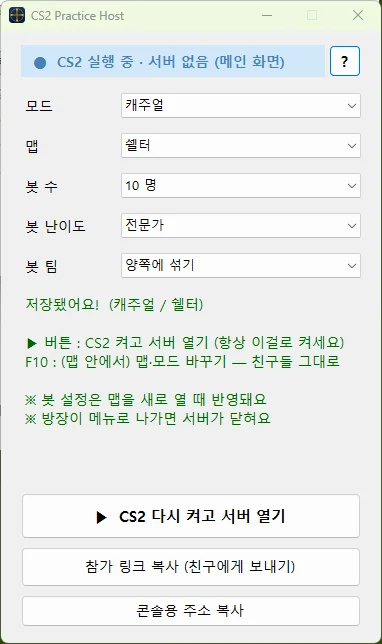
Pick a mode, a map and the bots, then press play. CS2 starts and the practice server comes up with it.
A link, not a console command
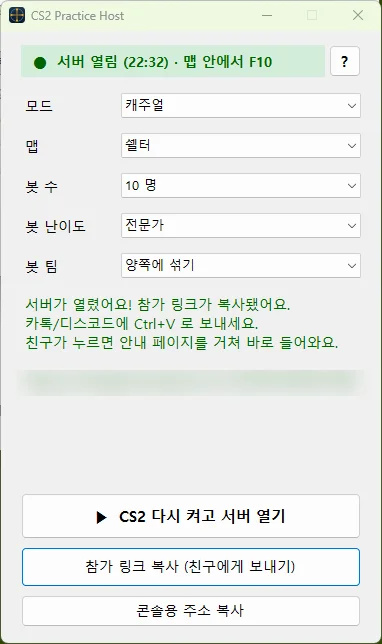
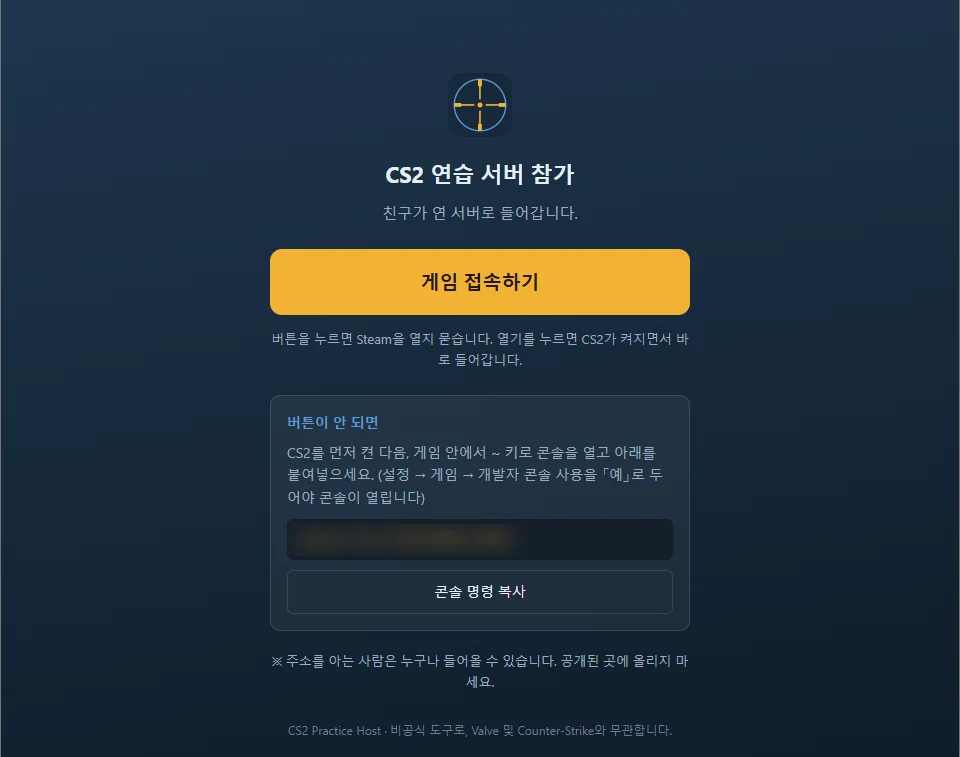
When the server is up, the join link is copied for you. Your friends press it and they are in — nothing to install, no console to enable.
Change the map without clearing the room
Press F10 in game to switch map or mode. Everyone who joined stays in.
Finds CS2 on its own
It reads where Steam is installed and locates the CS2 folder. If it cannot, you point at the folder once.
Open source
The whole source is on GitHub, so you can read what it does before running an unsigned app.
What you see
Addresses are blurred in these shots.
Get CS2 Practice Host
Free. Windows only. The download always points at the latest release.
The app is not code-signed, so Windows shows a warning — choose More info, then Run anyway. It writes config files into your CS2 folder and rebinds F10, and the source is public so you can check that for yourself.
No account and nothing collected — settings stay on your PC, and the server address only goes to your clipboard. An unofficial tool, not affiliated with Valve or Counter-Strike. Privacy Policy
Changelog
- 1.1.2
- The update notice now opens the page with the download button.
- 1.1.1
- The window title now shows the version.
- 1.1.0
- Added English. Switch with the
ENbutton at the top right. On first launch it follows your Windows display language. - The usage page and the join page your friends open are both available in Korean and English. The join page follows the language of whoever opens the link.
- Fixed bot difficulty falling back to Normal on restart when it was set to Easy.
- Added English. Switch with the
- 1.0.2
- Checks for a newer version at startup and tells you.
- 1.0.1
- Fixed the join link not reaching the clipboard when a server opened. The game is in front at that moment, which can block the copy. The app now retries briefly and tells you when it still fails — previously it claimed success either way.
- Added a
?button that opens the usage page.
- 1.0.0
First public release.
- Pick a mode, map, and bots (count, difficulty, team), then open a practice server with one button.
- When the server is up, a join link is copied automatically. Friends only need to click it — no install, no developer console.
- The raw console address can be copied separately if needed.
- Press F10 in game to change map or mode. Connected friends stay in.
- Finds your CS2 install automatically, and lets you pick the folder if it cannot.
- Settings are saved as you choose them.
Notes
- Launch CS2 with this app's ▶ button. If you start CS2 from Steam directly, the app cannot read the server address.
- If the host leaves to the main menu, the server closes and everyone is disconnected.
- Putting all bots on one team caps them at "humans + 2" — a game rule on team size. Use "both teams" to get the number you picked.
- This app writes config files (
cs2host_*.cfg) into the game and rebinds F10, replacing any existing F10 binding. - The build is unsigned, so Windows shows a warning. Choose "More info" → "Run anyway".